Some deliveries may take a little longer than usual due to regional shipping conditions.

DOWNLOAD THE APP


Customer Services
Copyright © 2025 Desertcart Holdings Limited
DOWNLOAD THE APP


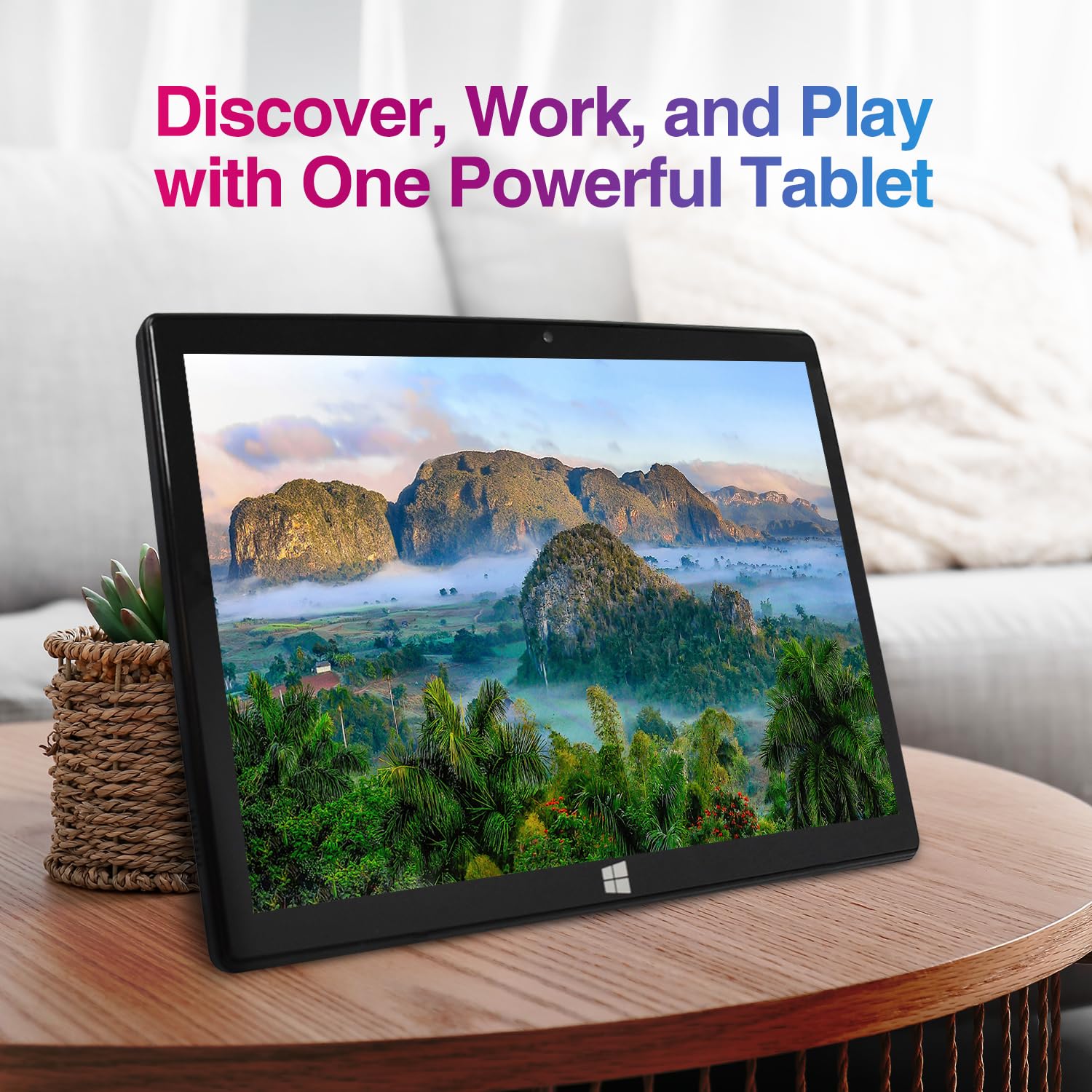

🚀 Fusion5 FWIN232+: Power, Portability & Performance in Your Hands
The Fusion5 10.1" Windows 11 Tablet PC (FWIN232 Plus) combines a powerful Intel 13th Gen quad-core processor with 8GB RAM and a stunning Full HD 1920x1200 display. Ultra-slim and lightweight, it offers versatile connectivity including 5G WiFi, USB 3.0, Micro HDMI, and Bluetooth 4.4. Perfect for professionals, students, and creatives seeking a portable Windows 11 device with reliable performance and a 12-month US warranty.


| ASIN | B07HY8X46F |
| Average Battery Life (in hours) | 6 Hours |
| Batteries | 1 Lithium Polymer batteries required. |
| Best Sellers Rank | #45,016 in Electronics ( See Top 100 in Electronics ) #840 in Computer Tablets |
| Brand | Fusion5 |
| Card Description | Integrated |
| Chipset Brand | Intel |
| Color | Black |
| Computer Memory Type | DDR3 SDRAM |
| Customer Reviews | 4.1 4.1 out of 5 stars (3,656) |
| Date First Available | October 2, 2018 |
| Flash Memory Size | 128 GB |
| Graphics Coprocessor | Broadwell GPU (Intel Gen8) |
| Hard Drive | 64 GB |
| Hardware Platform | Android, Windows |
| Item Dimensions LxWxH | 10.24 x 0.67 x 0.39 inches |
| Item Weight | 1.52 pounds |
| Item model number | FWIN232+ |
| Max Screen Resolution | 1920*1200 Pixels |
| Number of Processors | 4 |
| Operating System | Windows |
| Power Source | Corded Electric |
| Processor Brand | Intel |
| Product Dimensions | 10.24 x 0.67 x 0.39 inches |
| RAM | 8 GB DDR3_SDRAM |
| Rear Webcam Resolution | 5 MP |
| Screen Resolution | 1920 x 1200 pixels |
| Series | FWIN232 PLUS S1 |
| Standing screen display size | 10.1 Inches |
| Wireless Type | 802.11ac |
W**H
Versatile and Capable Tablet
The fusion 5 tablet is good at what it is designed for. I personally use it for photo editing when I don’t have ready access to my PC. It is fully capable of handling most of the commercial photo editing software I use to include image stackers and video compression software. It’s extremely portable and fits nicely in my photographers backpack. While this is an excellent alternative to more expensive units, it does have a small but worth mentioning shortcoming. Battery life. On a full charge, I can get an average 12 hours of use without being tethered to an external battery pack or wall outlet. In truth 12 hours is more than adequate for most trips, however, there have been times when the battery life has been a detriment to field work requiring an external battery source, which creates additional weight on hikes to photograph landscapes, wildlife, and even my favorite Astro photography. All in all, this is a great tablet that performs well, is easy to set up and use, and isn’t cost prohibitive. If you are looking for bang for the Buck, the Fusion 5 is the answer!
D**K
A Nice Device for a Good Price
Fusion 5 10.1" Windows 10 Tablet I picked up this tablet as an upgrade to my Kindle Fire 8". Overall, I'd say it was a good choice. Initially, I began shopping for a 10" version of my same tablet, but I thought, why not upgrade a bit in the process? Since most of my other equipment is in the Microsoft ecosystem, I chose to go with a Windows tablet. That way, I can sync easily between my desktop, phone, and tablet, having all my data available from any device. When I first started shopping, my gut instinct was to pick up the MS Surface Go, which is a 10" Windows 10 tablet. The down side is that Windows is running in S Mode. Windows 10 in S Mode is a more limited, locked-down Windows operating system. In S Mode, you can only install apps from the Store, and you can only browse the web with Microsoft Edge. I didn't want to be limited, and I began looking around for another solution, eventually deciding on the Fusion5. Order the device through Amazon was simple and painless, as most Amazon transactions are. The device was shipped promptly, and arrived when it was supposed to. I've been using the tablet for a few weeks now, so I think I might be able to relay my experience with it. Screen The screen is great, on par with other high end tablets. The resolution of the 10.1" (diagonally measured) display makes for a nice crisp display, with good color and brightness. Touch sensitive is good as well. I've had no problem with making selections for text fields, buttons, etc. Some other folks have commented about a problem with selecting a text field, and not having the on-screen keyboard pop up. I don't think this is a failing of the tablet itself, but rather the way Windows 10 works with touch. It's been an issue for the last several version of Windows, and 10 is no different. Putting Windows 10 into tablet mode alleviates the problem somewhat, but in some text fields you may need to double tap. Using the Inking function in Edge, OneNote, and other apps worked flawlessly. Using a stylus or your finger, you can highlight data on web pages or other places, or even include short notes. The only complaint I would have about the display is the inclusion of a less than stellar screen protector with the device, already installed. When I received mine, it was loose along the bottom bezel of the display. Further, the protector slightly hindered use of touch features. Once I removed the protector, touch sensitivity was much better. The downside if your remove the protector (and don't replace it) is the potential for scratches, as well as the mass of fingerprints that will collect on the display. Connectivity The only option for connectivity include with the device is WiFi. I've tested it by connecting to several different access points, public and private, and have had no issues. The only downside I can mention is the lack of high speed options with the on-board WiFi. In my testing, I was only able to connect with 802.11b, which is limited to 11 Mbps, so you're roughly getting 9.5-10 Mbps. I think a better option would be to use an 802.11 b/g/n chip for faster speeds. Even with the limited connectivity, I am able stream NetFlix, work on documents from OneDrive, and surf the internet with no issues. There is some slight buffering at the start of a NetFlix video, but my desktop does the exact same thing, so I don't see that as negative. The rest of the stream is fine, and displays in HD. Streaming from YouTube was a bit better, with a quicker start to viewing than with NetFlix. The device comes with a variety of ports on the side, including a full size USB port, mini HDMI, USB-C and a power port. Charging via the power port *or* USB-C worked fine. I wasn't able to test USB-C peripherals, as I don't have any. Using the standard USB port, I connected a wired mouse, and it worked with no issue. also tried a USB keyboard, headset, and game controller. All worked with problem. As long as Windows has or can find the correct driver for the device, most should work with the tablet. One cool thing I was able to do is connect the tablet to my KVM switch. A KVM switch (with KVM being an abbreviation for "keyboard, video and mouse") is a hardware device that allows a user to control multiple computers from one keyboard, monitor, and mouse. Using the KVM, I was able to use my full size equipment at my desk. The device found the peripherals with no issues, and I happily surfed the web and am actually writing this review using the tablet now, using the big screen. Document editing is much easier with full size equipment, and the Fusion5 had no problems allowing me to use my regular gear. Bluetooth connectivity is good, and I tried a couple of different devices with the Fusion5, including my phone, a mouse, and two different sets of headphones. Range and functionality was good. Leaving the tablet in my home office, I was able to move up to 50 feet away, and the sound was still good in my headphones. Sound The tablet included two speakers, although they are not very good. At maximum volume, the sound is *just* audible. This doesn't bother me, however, as I use a bluetooth headset when I am streaming video, using Skype, etc. I haven't use the on-board microphone, but I imagine you would be better served getting a good bluetooth headset for Skype calls, or perhaps a wired headset connected to the USB port. Storage The version of the device I purchased included 4 GB of RAM, as well as 64 GB of storage on-board. While 4 GB of RAM won't give you enough "oomph" to run things like MySQL or Doom, it is more than enough to edit documents in Word, spreadsheets in Excel, surf the net with multiple tabs open (but no too many!), and play some lighter games like Asphalt Airborne and the like. Mass storage of the device is a seemingly huge 64 GB. However, keep in mind that Windows 10 takes a large chunk of this space for itself. The device does include an SD card slot, with which you can use to expand the storage. With this in mind, I did purchase a 128 GB SD card. I inserted the card, and it worked straight away. The first thing I did is set my OneDrive folder to the new drive, to keep things of the system drive. That way, you're not cluttering up the system drive with your random cat pictures and crossword puzzles. Operating System The Fusion5 comes with Windows 10 Home Edition, 32-bit. This is not a watered down version of Windows, nor is it Windows running in S mode. This is the full version of Windows 10 Home Edition. What this means is that anything that you can run on your home machine, you can run on your tablet, provided that it fits in to the requirements of the software. For example, I am a hobbyist software developer. I write applications and utilities for use by people all over the world. On this device, I was able to install and use a Win32 application that I built on my desktop machine. No errors, no missing drivers. It just worked. Where all this leads is if there is something you want to connect to this tablet, or some software you want to install, the only questions you need to ask are "Is it compatible with Windows 10?" and "Does my hardware meet the requirements?" Battery Life The claimed battery life is around eight hours, and I have no dispute with that. I charge the device once per week, and have yet to have an unexpected shutdown due to battery problems. I imagine with some power management like dimming the display and throttling the CPU a bit (both available by tapping on the battery icon in the system tray), you could stretch it out to ten hours. Summary I'm pretty happy with this purchase. I use the Fusion5 for reading ebooks, watching streaming video, and some light web surfing. While it won't replace my desktop or my full laptop (it's a beast!), it is great for use on airplanes, laying in bed at night, riding the bus, etc. Besides the few minor items I pointed out previously, I would make one more ask for this device. The tablet includes no recovery media with it. It would be nice to have the option of performing a clean install of Windows 10 from media, if the need arises. As it sits, I'm not sure it can be booted from USB, but than may be an option, provided I can find the product key. Overall, if you are in the market for an inexpensive Windows 10 device, I would recommend the Fusion5 10.1" Windows 10 tablet. At just under $200, it's a pretty great buy.
J**K
Excellent Performance at a Low Price
I got this tablet for internet browsing, casual digital art, and some light gaming, and it accomplishes all of these tasks quite well! The only minor complaints I have are with the touchscreen/mobile capabilities of Windows, which are not the fault of the tablet itself. Internet browsing For typical internet browsing, there are no real performance concerns. Everything is pretty much as fast and responsive as you would expect on a typical modern computer. You might have some trouble with more performance-heavy situations, like having lots of tabs open or playing games in the browser. But these are not the reason I purchased the device. Digital art apps My kindergartener often uses this device to use the free art software TuxPaint. It works surprisingly well for this, especially considering the app was not designed for touchscreens! I have not tried more “serious” apps in this area like Photoshop or Krita. Light gaming This device has no trouble with simple 2D games like mazes, solitaire, etc. It even manages to provide a decent experience (20-30 FPS) with simple 3D games, like Cat Simulator and Minecraft, if you turn down some graphical settings. This is a big plus for the device, considering the price. Minor complaints It seems like Windows 11 still doesn’t quite have the touchscreen-only experience figured out. If you go fullscreen with a web app in the browser, the only way to exit fullscreen seems to be using a keyboard. While playing a fullscreen game, the only way to switch to another app seems to be swiping up from the bottom to reveal the taskbar, and sometimes this fails to work. And some apps get very confused and messed up when you change the device orientation. But again, these complaints have more to do with Windows and specific apps than with the device. If you’re looking for a heavy gaming device, look elsewhere. But if you’re looking for a lot of value packed into a VERY low price point, this might be perfect for you! Oh, and it does come with S mode enabled, but the Windows Store app makes it easy to disable that forever when you try to install an app that isn’t compatible with it.
D**E
No me ha gustado que viniera con enchufe UK. He tenido que buscar un adaptador. No especificaba esto, por lo menos claramente. Me planteé pedir funda con teclado, pero no me arriesgo a que no sea en español.
C**L
My Samsung Tablet finally died and I needed a replacement. I'd long realised that I didn't want another Android tablet again as I'm not very tech savvy and found the interfaces difficult to manage. Imagine my delight when I came across the Fusion 5 tablet computer that runs on Windows 11! For me this is the best solution - a tablet that runs like my computer and interfaces with my desk-top machine seamlessly. And all for less than £300 - brilliant! Now I can take my entire office out with me when I'm working or travelling away from home. This alone is a great gift - the ability to carry on working on the same project no matter where I am. It's just so reassuring to have the same icons and programmes always with you; I'm so much more productive because of this brilliant device. The Fusion 5 screen is bright and responsive to the touch, so much better than my previous tablet. Another improvement is that the battery lasts all day without charge. I bought a Bluetooth key-board and mouse to complement my Fusion5 - both interface seamlessly with it and give me the familiarity of a separate key board and mouse. Have I any complaints - No! Just a niggle - it takes a 5 second press and hold to get it to start. This is more a testament to my impatience when I've got an idea in my head that needs to be written down! After all my desk-top takes at least 10 seconds of whirring and clicking to get to the same status. As I say, what's not to like with the Fusion 5!
P**E
tendras la forma de colocale un teclado y soporte a la tablet
P**S
tablet appears a good purchase. Australian buyers beware there is no Australian charger adapter connections included in purchase, something I would expect if selling into Australia
P**A
De las mejores compras que he hecho. Por sólo 300€ tienes una buena tablet con Windows 10. Obviamente no sirve para jugar a videojuegos nuevos. Pero viene muy bien para trabajar.
Trustpilot
2 days ago
2 weeks ago